
Passenger transportation dispatch software
Keep every trip, driver and bus in sync.
Bring trip planning, driver and vehicle assignments, passenger counts, and team coordination into one clear dispatch workspace.
For the teams behind every passenger trip.
Built around
passenger operations.
- Shuttle services
- Charter buses
- Employee & contract transportation
- Private passenger fleets
Clarity for the daily work
A clearer view of the work
that keeps your fleet moving.
Organize the day.
Keep routes, schedules, trips and assignments connected, so your team can find the work in one place.
Plans with context
Coordinate the people.
Give managers, dispatchers and drivers access aligned with their responsibilities and enabled workflows.
Clear responsibility
Keep passenger counts in view.
Bring onboard and capacity information into the dispatch workflow alongside the trips it belongs to.
Capacity in context
One connected workflow
From the first plan
to the next decision.
See the trip. Find the details. Coordinate the next step with the context your team needs.
01
Plan the work.
Bring customers, locations, routes and schedules together around the trips you’re preparing.
Customers · Routes · Schedules
02
Assign with context.
Connect drivers and vehicles to trips. Keep assignments and passenger counts in the operational view.
Drivers · Vehicles · Passenger loads
03
Review what happened.
Follow trip activity and use reporting and history to support the next handoff.
Activity · Reports · Follow-through
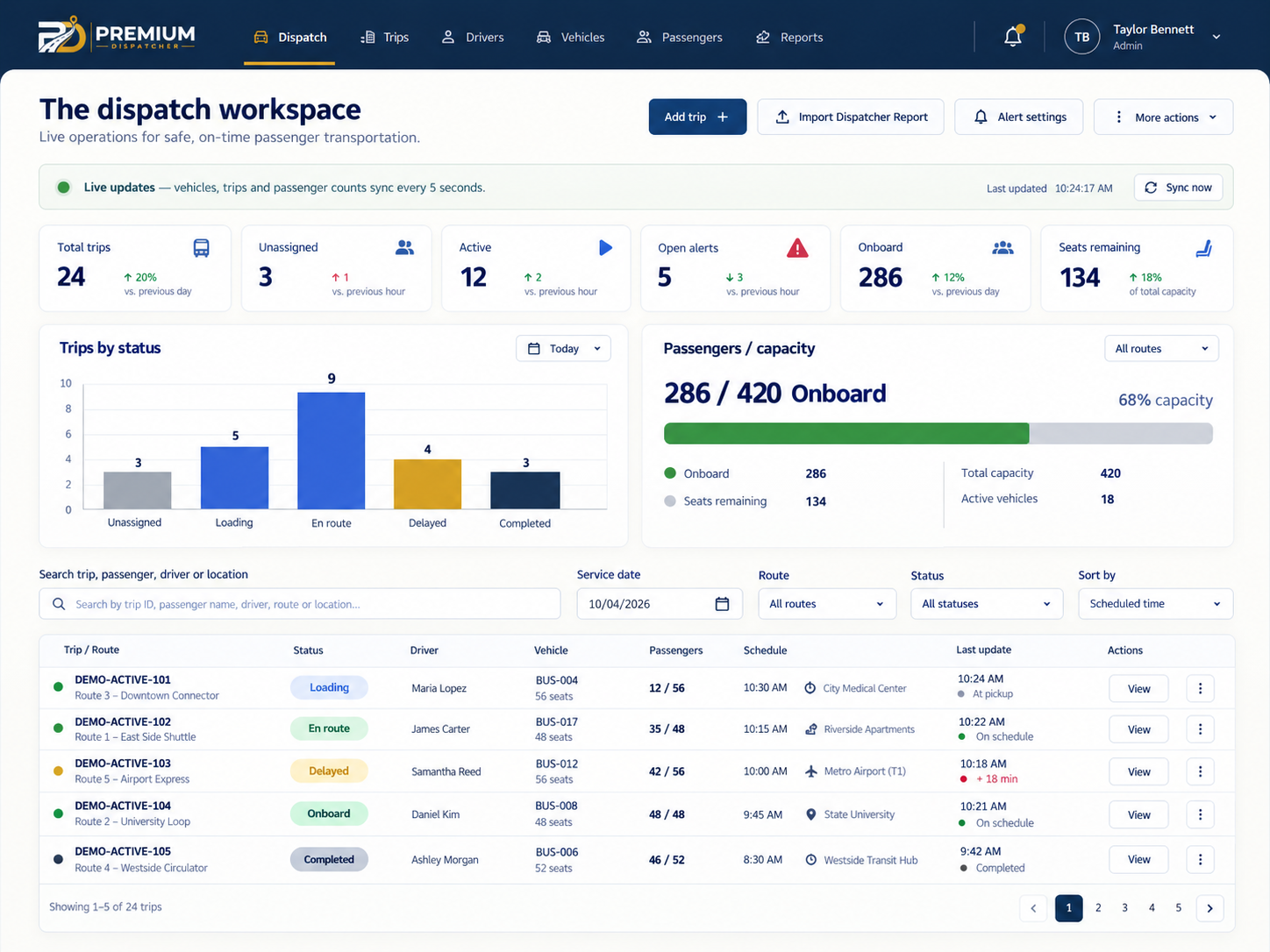
Trips. Assignments. Passenger counts.
A clearer view of
every operating day.
Keep the details your team coordinates in one clear view. Explore the Demo for the actual application.
Operations & review
Keep the day in context.
Bring trips, assignments and passenger counts into the same conversation, with activity and reporting to support review.
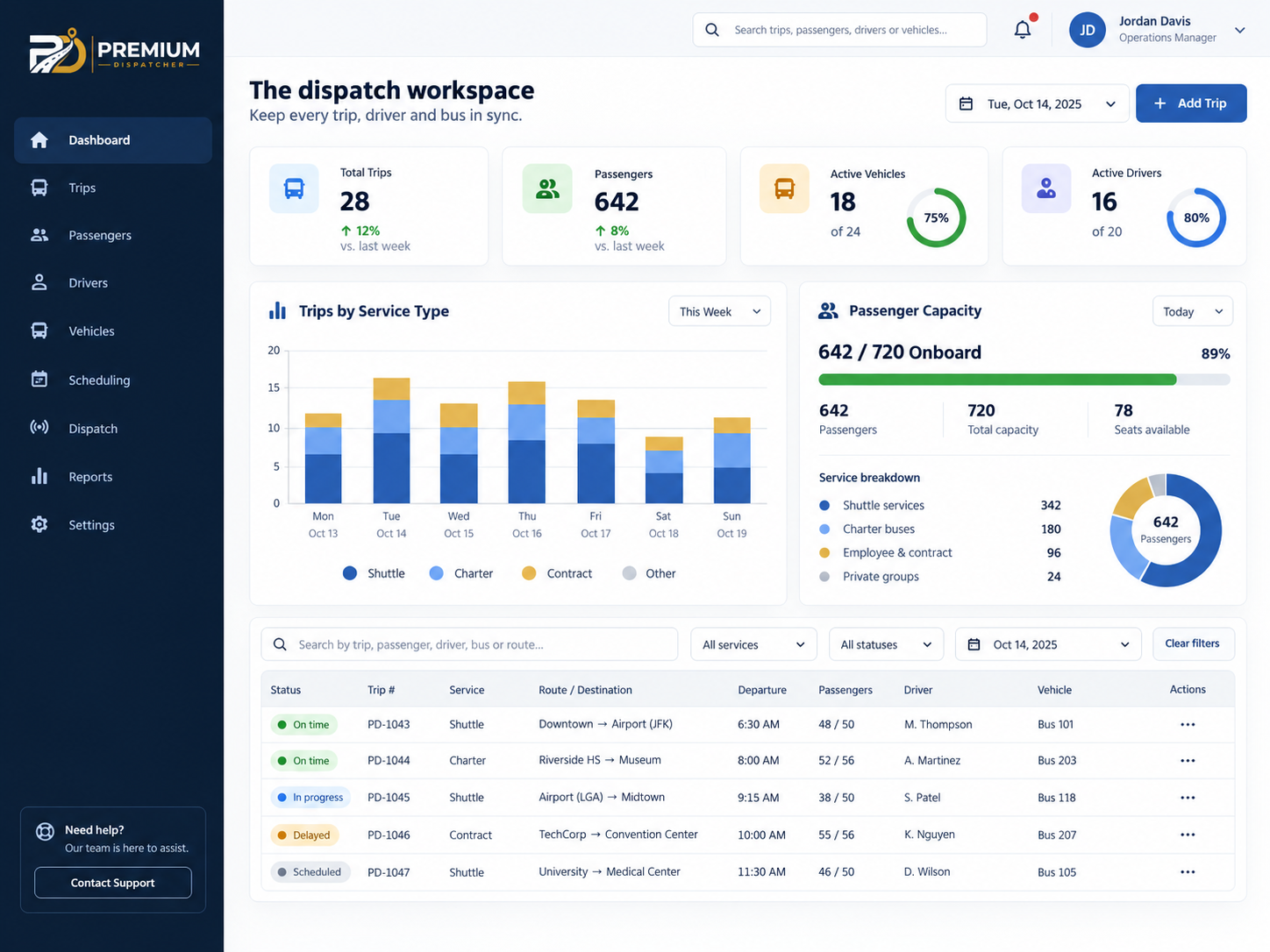
Trip context · Passenger counts · Operational review
Daily dispatch
See the dispatch board in action.
Keep schedules, driver and vehicle assignments, and passenger counts connected to the trips your team coordinates.
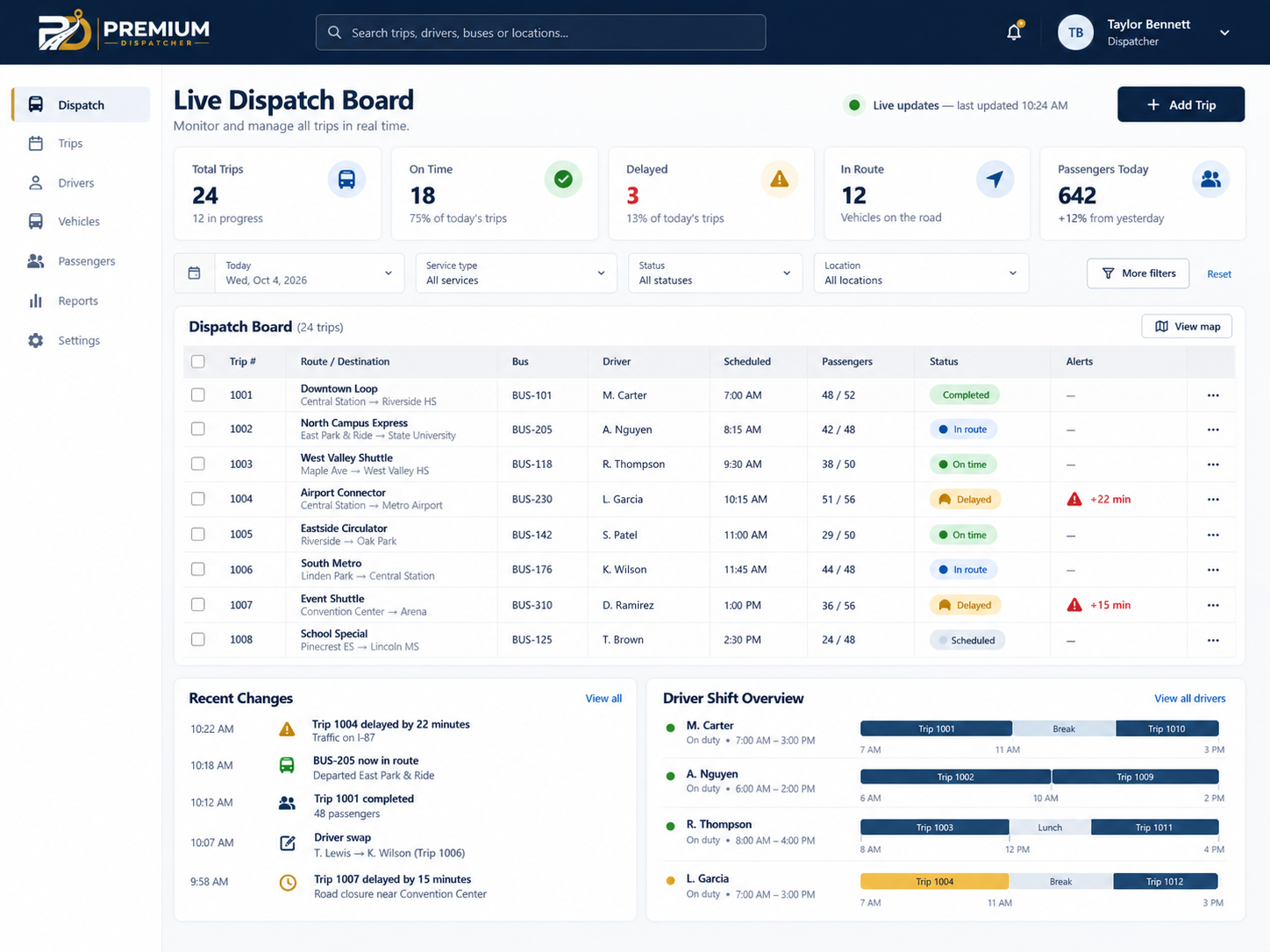
Trip schedules · Driver and vehicle assignments · Passenger counts
These AI-generated concepts illustrate a possible interface presentation. Charts, values and pictured controls are illustrative; available workflows depend on the approved setup.
Shared work. Clear responsibility.
One operation.
The right view for each role.
Keep people connected to the work they’re responsible for, with access shaped around your company’s approved setup.
Management
Oversee the operation.
Keep company records, people and permissions connected to the right team.
Dispatch
Coordinate daily work.
Bring trips, shifts, assignments and operational activity into a focused view.
Drivers
Focus on assigned work.
Use the driver workflows made available through your enabled setup.
Explore on desktop, tablet and phone.English and Spanish application views.
A guided start
See how it fits
your operation.
01
Explore the Demo.
Review synthetic trips and passenger data, then look at the workflows relevant to your team.
02
Tell us about your operation.
Share your fleet, dispatch team and service model through the existing trial request process.
03
Activate after approval.
If approved, follow your activation link, choose your password and accept the current Terms and Privacy Policy.
Trial requests are reviewed. Your trial begins after activation.
Who is Premium Dispatcher designed for?
Passenger-transportation teams coordinating trips, drivers and vehicles, including shuttle, charter, employee and contract services.
Can team members have different access?
Yes. Company management, dispatch and driver responsibilities have role-based access, aligned with the approved company setup.
What is available to drivers?
Driver workflows depend on the enabled setup. Explore the Features page and discuss your team’s needs when requesting access.
Can I explore it on different devices?
Explore the browser-based interface on desktop, tablet and phone. English and Spanish application views are available.
Is the demo real customer information?
No. The public demo uses synthetic people, trips and passenger data to show the workflow.
How do I request a trial?
Use the Request Trial page. Requests are reviewed, and activation follows approval. Your trial begins after activation.
Calm control for passenger operations
Bring your next shift
into clearer view.
Explore the dispatch workspace, then tell us how your team runs its passenger operation.